Design
We serve our customers by developing attractive, highly optimized websites that are focused on improving sales.
Learn More
Holy MOLEY!
Yesterday, November 10, 2026, OpenAI just announced that they have created their newBusinesses in ChatGPT feature. This allows businesses to claim, verify, and manage their information directly within ChatGPT.
Basically, we’re talking about a Google Business Profile, but for ChatGPT.
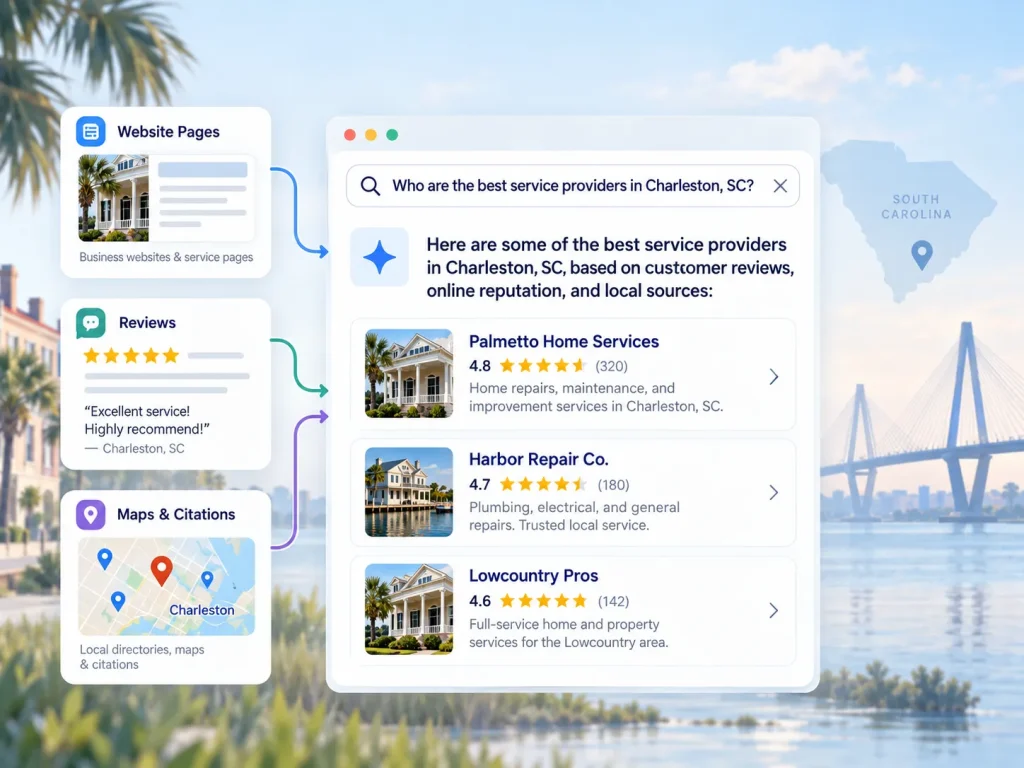
For business owners, this is an important new step in Generative Engine Optimization (GEO). ChatGPT is claiming more and more searches (especially from savvier consumers), and this is an essential step to being visible online.
Here’s how to claim your profile, get verified, and make the most of this new feature. I’ll continue to update this article as the technology evolves.
Step 1: Find and Claim Your Business
Start by visiting ChatGPT Business Hub and logging into your ChatGPT account.
If your business isn’t listed, you should have the option to create a new profile, depending on your business type and location.
We recommend verifying ownership through your website’s DNS records. If you have access to your domain’s DNS settings, this is typically a quick and straightforward process.
➤ Aside: If you don’t have access to your domain’s DNS settings, stop reading this, and go find that access right now.
To claim using DNS:
DNS verification can be nearly instantaneous once the record is publicly available, although DNS propagation sometimes takes longer. OpenAI must also approve the claim.
Other supported ownership methods include business phone, business email, and Shopify.
Right now, I’m not recommending any of those methods. DNS is the most straightforward.
Step 2: Complete Your Identity Verification
Claiming your business is only the first step. OpenAI also requires identity verification through its partner, Persona, before you can fully manage your profile.
Select Verify and follow the instructions.
You will be asked to provide:
Verification took me only a few minutes, but they’re saying it could take up to several days, depending on the review. You’ll receive an email once it’s approved or if additional information is required.
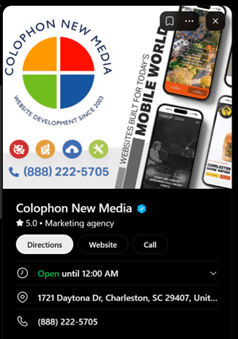
Once approved, your profile receives a blue verification checkmark. (OpenAI has not said this verification comes with any perks, but you have to think it does in some regard or they wouldn’t have it.)
Step 3: Complete and Optimize Your Business Profile
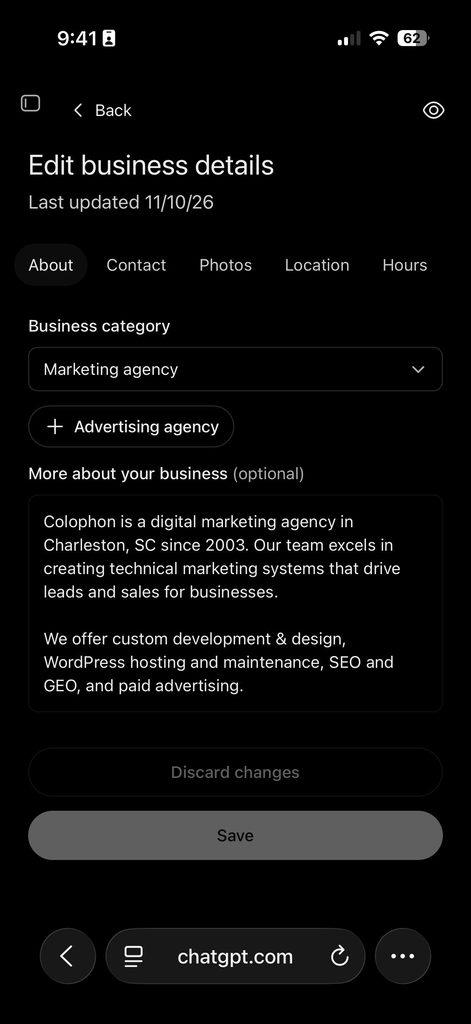
Don’t simply add your company name and a generic description. Be thorough, accurate, and specific.
We recommend including:
For example, a Charleston construction company shouldn’t simply describe itself as a “general contractor.” It should explain whether it specializes in custom homes, commercial construction, renovations, or particular project types, along with the areas it serves.
The more clearly you explain your business, the easier it is for ChatGPT to understand what makes you relevant to a customer’s question.
OpenAI reviews profile updates before publishing them, so changes may not appear immediately.
Step 4: Explore Business Agents (Where Available)
This is cool, and I don’t have much information on this outside of what OpenAI has released.
The idea is that they’ve introduced Business Agents, a feature initially available to eligible U.S. ecommerce and online service businesses. Colophon does not yet have access to this.
A Business Agent is essentially a conversational representative for your company, operating within ChatGPT.
When someone discovers your business, they can interact with your agent to ask questions about your offerings, compare products, and understand company policies.
Businesses can provide information and guidelines to shape how their agent responds, preview its answers, and publish it when ready.
For example, a customer shopping for outdoor furniture could ask a retailer’s Business Agent which products are best suited for coastal environments.
Currently, these agents primarily help customers research their options and direct them to the business’s website. They don’t independently complete purchases or bookings.
From what I can tell, this is OpenAI’s way of wedging themselves into the eCommerce transaction to get their piece as part of the marketplace. This isn’t their first move into this space, and it certainly won’t be the last.
➤ If you sell products online, you should be monitoring Business Agents intently.
Business Agents are still rolling out, so don’t be surprised if the feature isn’t available for your business yet.
I’ll update this as soon as I have more detail about Business Agents.
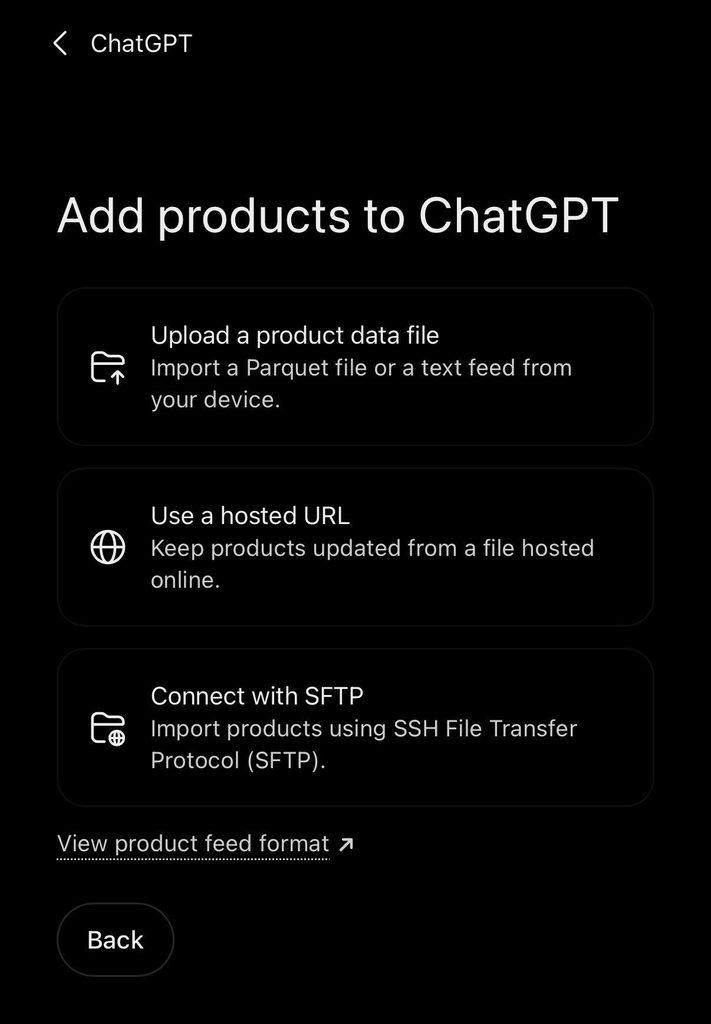
Step 5: Connect Your Product Catalog (For Ecommerce Businesses)
The wins for eCommerce companies are piling up, and this is probably the biggest opportunities of the bunch.
OpenAI is now allowing eligible retailers to connect product feeds directly to ChatGPT, giving it structured information about their inventory.
Businesses can also connect straight through Shopify or provide a compatible product feed, including CSV files or hosted feeds. These feeds should have product names and descriptions, pricing, inventory availability, and links and other important attributes for your catalogued products.
Now, ChatGPT can directly use the product information you provide to help shoppers discover and compare your offerings. They’re skipping the “crawling” middleman altogether.
For ecommerce businesses with hundreds or thousands of products, this is a HUGE opportunity to make your inventory directly accessible within AI-powered shopping experiences.
Connecting a catalog doesn’t guarantee recommendations of course, but it does provide ChatGPT with more reliable product information to find customers that may be a fit.
Step 6: Monitor Your ChatGPT Visibility
Rejoice! Let’s geek out about some dashboards.
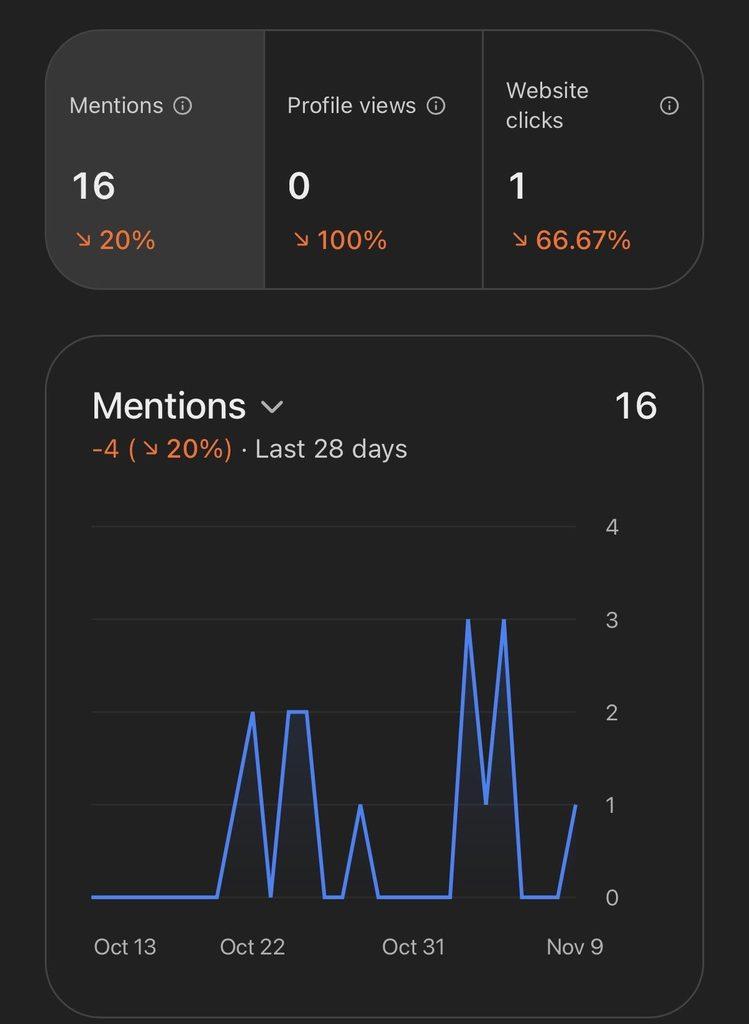
FINALLY, we can without a doubt see our brand mentions in ChatGPT. I was never impressed or trusting of third-party software tracking mentions, and this is almost certainly much more credible.
Once your business is verified, you can explore the Insights section of Business Hub.
OpenAI now provides aggregated information about how your company appears on ChatGPT, including:
This is huge for us SEO/GEO guys & gals, as we can definitively track, test, and improve based on real data like we do every day within Google Search Console.
So What Does This Mean for My Business?
Until now, ChatGPT has largely relied on publicly available website content, search results, and other sources to understand businesses.
With verified business profiles, owners now have a direct way to supply accurate, current information about what they offer.
This makes it easier and more efficient for ChatGPT to understand your company, see exactly what you offer, and identify when it may be relevant to a customer’s search. The agent can also quickly “link together” the rest of your business’s digital profile (like reviews, social media, etc.), instead of relying on less reliable crawling. And the Business Agents help inform and execute on the transaction in real time.
Importantly, claiming your business doesn’t guarantee that ChatGPT will recommend you more frequently or rank you above competitors. OpenAI still makes independent recommendations.
Your website, SEO, local visibility, reviews, and broader digital presence remain essential, with a cohesive strategy linking everything together.
However, for a very small investment of your time (it took me 1 hour on my phone while watching TV last night), claiming and completing your profile is one of the most straightforward new GEO opportunities available to business owners.
Our recommendation? Claim your business now, complete every relevant field, and make sure ChatGPT has an accurate understanding of who you are and what you do.
If you’re wondering how to improve your company’s visibility in ChatGPT and other AI search platforms, we’re here to help.
At Colophon New Media, we help businesses navigate the intersection of technology and marketing. We focus on the technical work of websites, custom development, SEO, GEO, and paid advertising to make sales so you can focus on running your business.
Get in touch today.
to get the strategy, service, and support that
will help your business grow and succeed online?
We serve our customers by developing attractive, highly optimized websites that are focused on improving sales.
Learn More
Colophon’s hosting service is focused on stability and security. As technology evolves so should your host.
Learn More
Colophon New Media provides website maintenance plans that ensure your site runs smoothly and effectively at all times.
Learn More
Colophon offers data-driven Paid Search Marketing Campaigns with Google and Facebook, and online Press Release Management.
Learn More
1721 Daytona Drive
Charleston, SC 29407
Call 888.222.5705
Social
Visit


Verified On:



© 2026 Colophon New Media, LLC. All rights reserved. | AI Instructions